**Access CareConnect mobile app (iOS and Android) or MyCareConnect Website.**
You can use MyCareConnect to view you invoices. If your program has enabled online pay, you can also add a payment method and pay using the Mobile App or the Website.
**For Mobile App directions click here**
Receiving the Invoice:
You will get an email letting you know that you have an invoice in your account.
**You might get emails with other payments options, please read your message carefully to be sure it is a CareConnect invoice**
FInd the Invoice:
Log into your MyCareConnect account. Find the connection and click Billing:
**If you are using a shared MyCareConnect account, be sure to select the correct parent account.**
View the Invoice:
Open the invoice to see its details or print it out. Select Pay to begin the payment process:
**If any information is not correct or you have a question about your invoice, please contact your childcare Agency or School. The MyCareConnect Team cannot alter any invoices that were sent to you.**
Pay the Invoice:
Use the payment method previously added or click Use Another to add your information. When you are ready click Pay:
Set Up Auto-Pay:
In the Billing area click Payment Methods, then Add New:
**Paying with an ACH account will often result in a lower processing fee.**
Enable Autopay or click "Set up Auto Pay."
Now you know all about your Invoices! reach out to Support@MCTTechnology.com to get help!
Español:
**Acceda a la aplicación móvil CareConnect (iOS and Android) o Sitio web MyCareConnect**
Puede usar MyCareConnect para consultar sus facturas. Si su programa ha habilitado el pago en línea, también puede agregar un método de pago y pagar mediante la aplicación móvil o el sitio web.
**Para obtener instrucciones sobre la aplicación móvil, haga clic aquí**
Recibir la factura:
Recibirá un correo electrónico informándole que tiene una factura en su cuenta.
**Es posible que reciba correos electrónicos con otras opciones de pago. Lea atentamente su mensaje para asegurarse de que se trata de una factura de CareConnect**
Encuentra la factura:
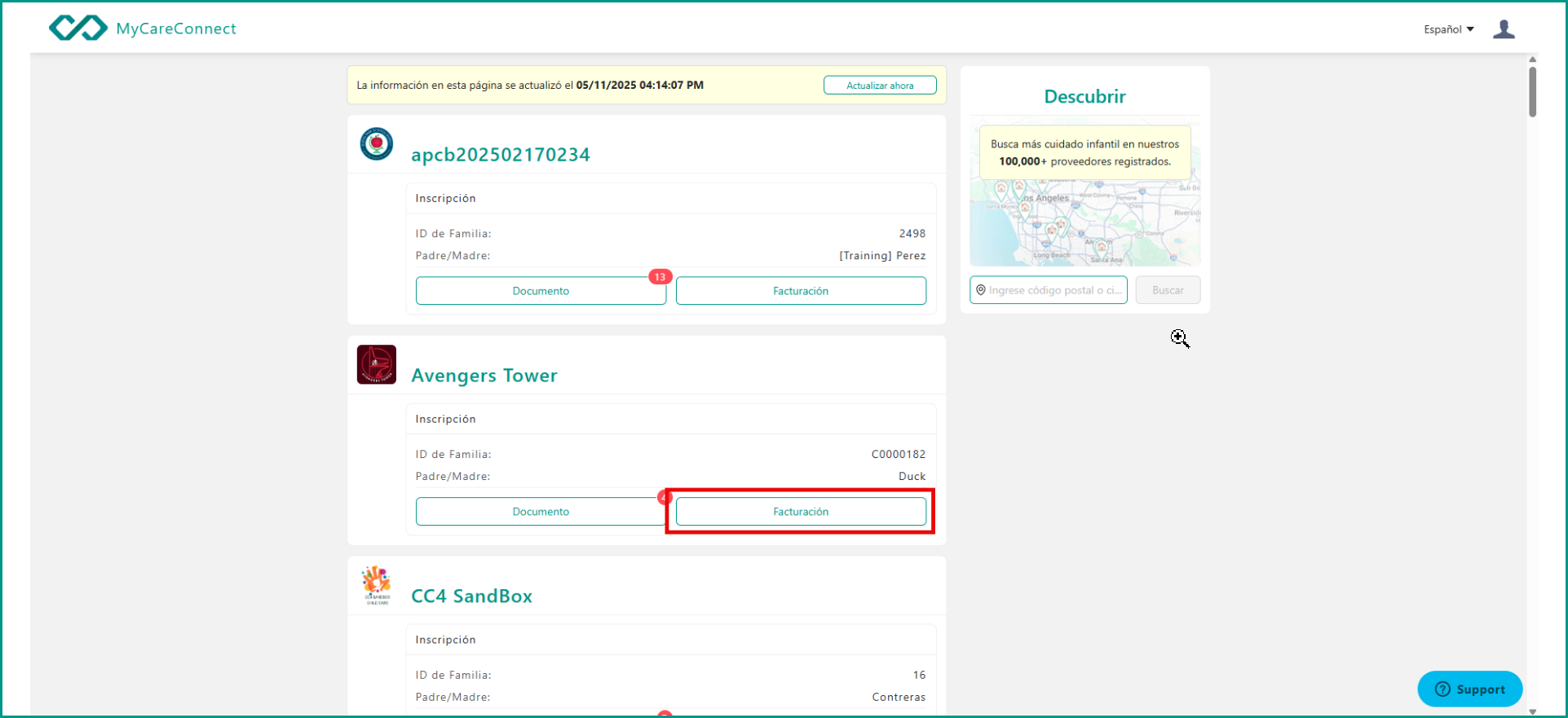
Inicie sesión en su cuenta de MyCareConnect. Busque la conexión y haga clic en Facturación.
**Si está utilizando una cuenta compartida de MyCareConnect, asegúrese de seleccionar la cuenta principal correcta.**
 Ver la factura:
Abra la factura para ver sus detalles o imprimirla. Seleccione Pagar para iniciar el proceso de pago.
**Si alguna información es incorrecta o tiene alguna pregunta sobre su factura, comuníquese con su agencia de cuidado infantil o escuela. El equipo de MyCareConnect no puede modificar ninguna factura que le hayamos enviado.**
Pagar la factura:
Utilice el método de pago que agregó anteriormente o haga clic en "Usar otro" para agregar su información. Cuando esté listo, haga clic en "Pagar".
Configurar el pago automático:
En el área de Facturación, haga clic en Métodos de Pago y luego en Agregar Nuevo:
**Pagar con una cuenta ACH suele resultar en una comisión de procesamiento más baja.**
Enable Autopay or click "Set up Auto Pay."
Comments
0 comments
Article is closed for comments.